
Coupons are a powerful way to attract new customers, reward loyalty, and promote special offers. With FirePAY Restaurant POS, you can easily create, manage, and apply coupons directly from your POS system — ensuring accuracy at checkout and consistency across your restaurant operations.
This guide will show you how to set up coupons in the Back Office and apply them during a sale from the POS terminal.
Step 1: Create a Coupon in the Back Office
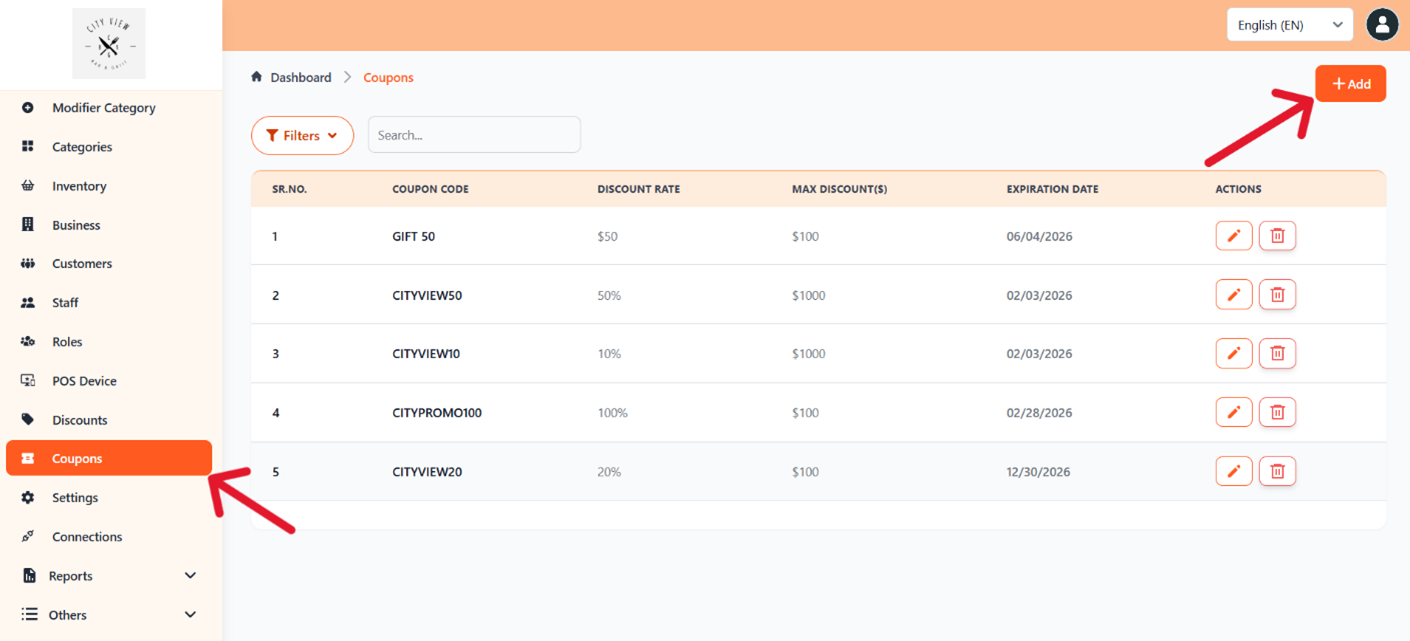
1, Log into your FirePAY Back Office dashboard.
2. Go to the Coupons section.
3. Click Add to create a new coupon.
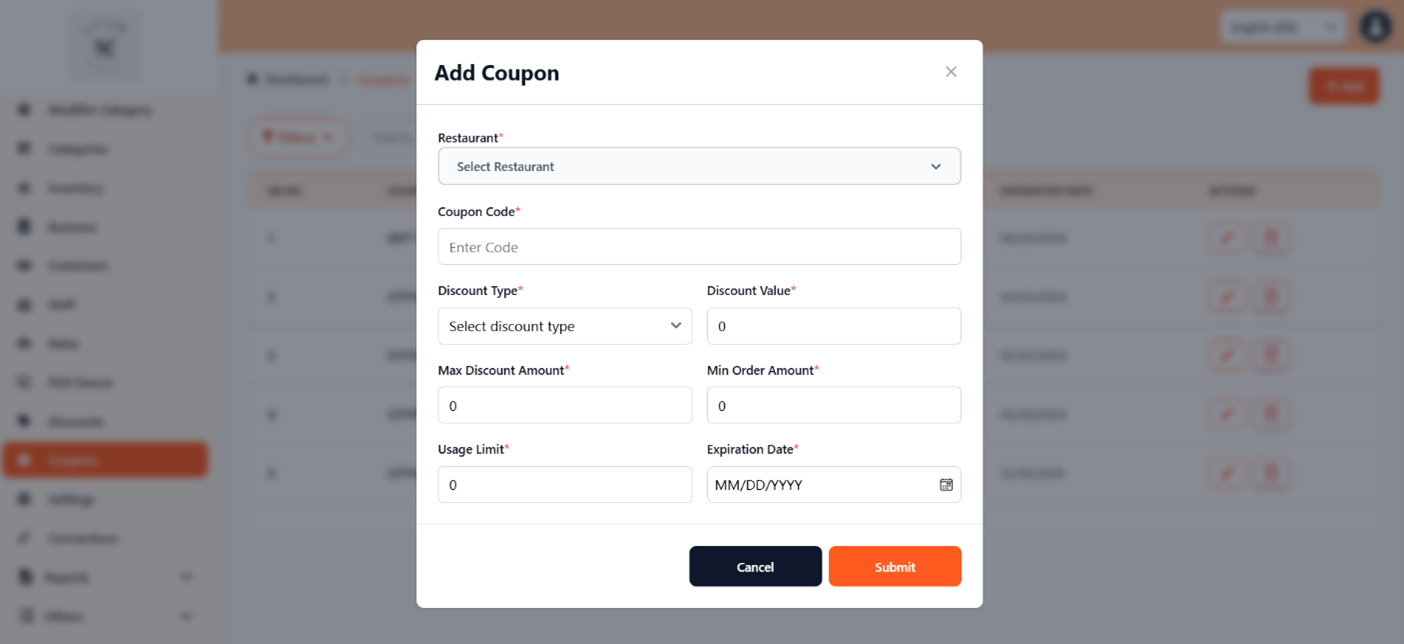
From here, you can define your coupon details such as:
-
Coupon Name (e.g., 10% Off Lunch Special)
-
Discount Type – Percentage (%) or Dollar Amount ($)
-
Expiration Date
-
Eligible Menu Items or Categories
-
Usage Limitations (one-time use, daily, or recurring promotions)
Tip: Always give your coupon a clear and descriptive name. This helps servers quickly identify the correct coupon during checkout.
Step 2: Define Coupon Terms and Amount
Set the discount amount and specify how the coupon will be applied — to the full order, a specific item, or a group of items.
Once you’ve completed the setup, click Save to store the coupon in your system.
All active coupons will automatically sync to the FirePAY Restaurant POS terminal for easy access by your staff.
Step 3: Apply Coupon at the POS Terminal
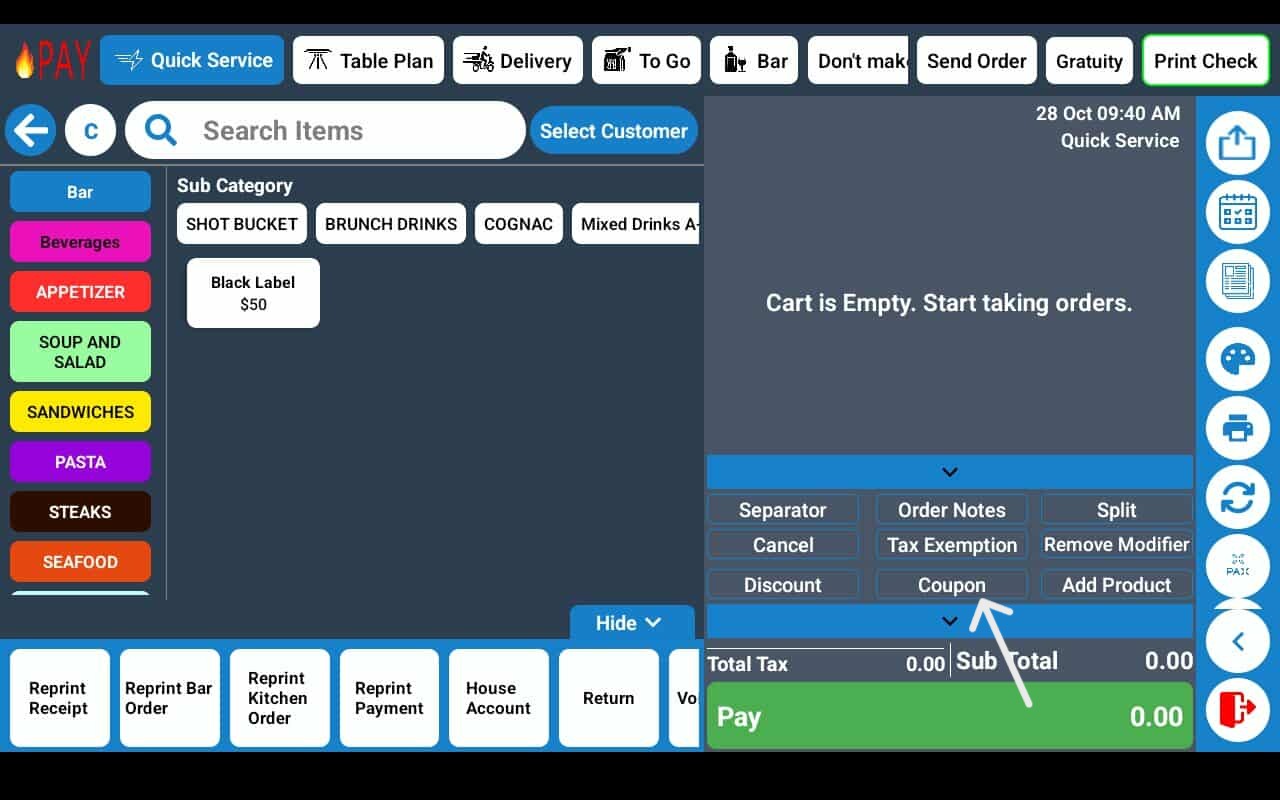
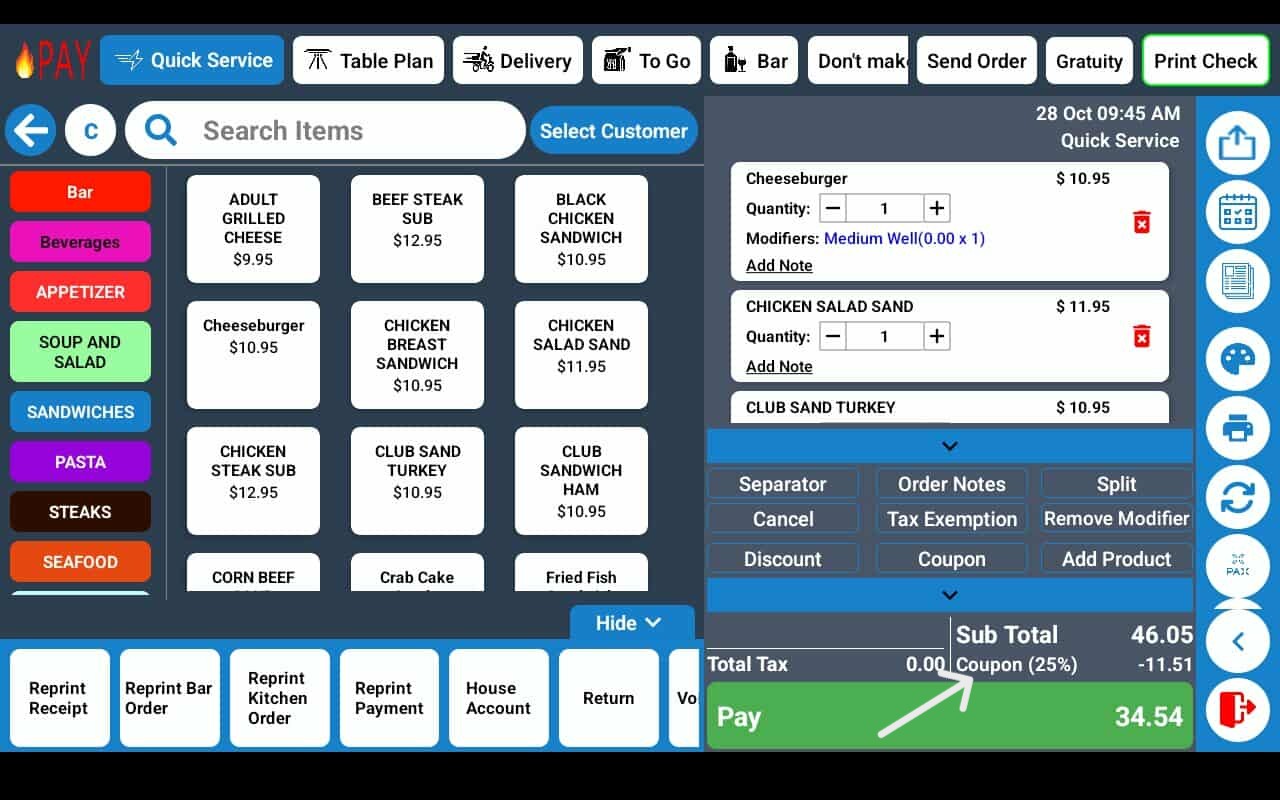
1. On the POS order screen, press Coupon.
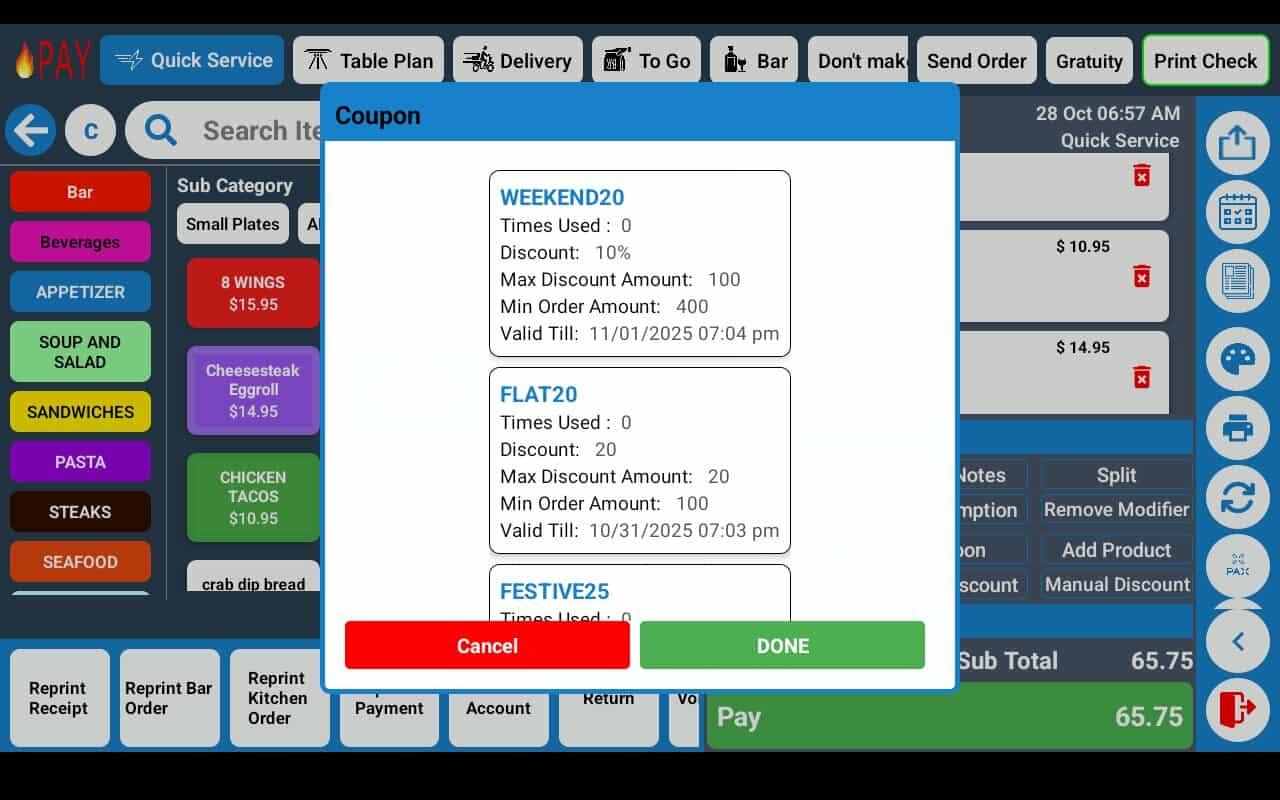
2. A list of available coupons will pop up.
3. Select the coupon you want to apply.
The discount will appear instantly on the order summary and will reflect in the subtotal and final total.
Step 4: Verify the Coupon Application
Once applied, the coupon details will display on the receipt.
FirePAY automatically adjusts tax and totals based on the coupon’s settings, ensuring accurate reporting.
Benefits of Coupon Management in FirePAY Restaurant POS
-
Flexible Promotions: Easily create item-specific or order-wide discounts.
-
Back Office Integration: Manage all coupon campaigns from one dashboard.
-
Instant POS Sync: Newly added coupons appear on POS screens immediately.
-
Accurate Accounting: Discounts are tracked automatically in reports.
-
Customer Satisfaction: Simplifies the checkout process and enhances the guest experience.
With FirePAY Restaurant POS, creating and applying coupons takes just a few clicks — helping your business stay competitive while keeping operations fast, accurate, and customer-friendly.