
Managing discounts effectively is key to running successful promotions and rewarding loyal customers. The FirePAY Restaurant POS system gives you full control with three types of discounts — allowing you to apply savings to specific items or entire orders.
In this guide, we’ll explain how to access the discount menu, apply item or order discounts, and configure preset options from your FirePAY Back Office.
Types of Discounts in FirePAY POS
There are three main types of discounts you can apply:
1. Item Discount – Apply to a single menu item.
2. Order Discount – Apply to the entire check or ticket.
3. Manual Discount – Apply custom discounts as needed.
How to Access the Discount Menu
From the Quick Service Tab (Main Screen):
1. Press the up arrow key located below the item list.
2. An expanded function menu will appear.
3. From here, you can choose the type of discount to apply.
This quick-access menu lets servers and managers add promotions or special pricing during any transaction.
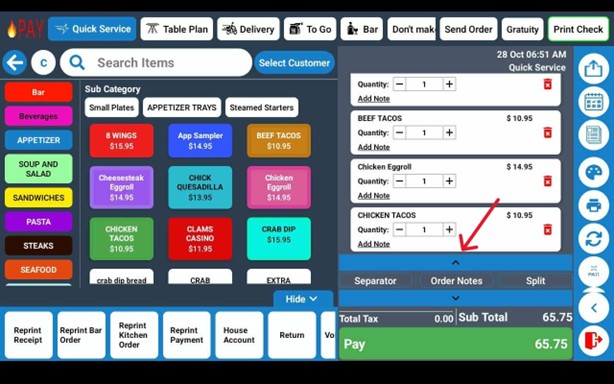
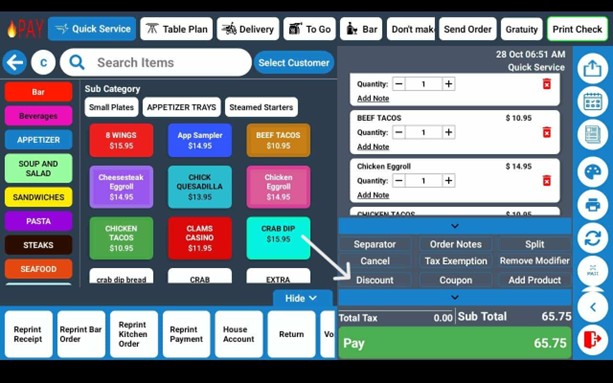
Item Discount
Item Discounts allow you to apply savings to specific menu items.
To apply an Item Discount:
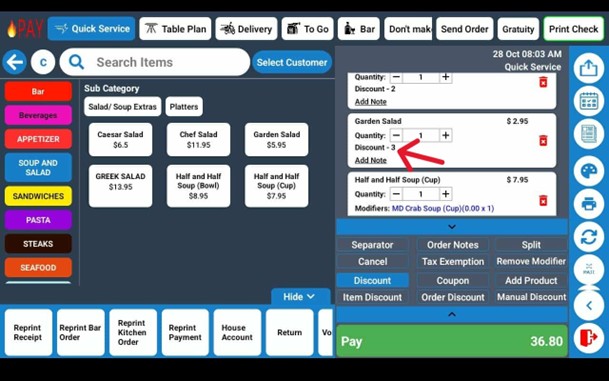
1. Press and hold the item you want to discount until it highlights.
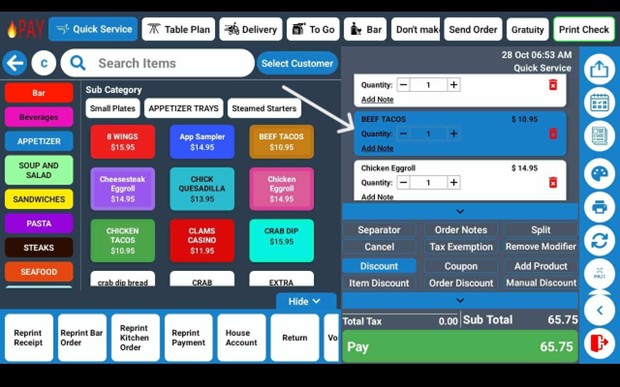
2. Choose the type of discount — either by percentage (%) or dollar amount ($).
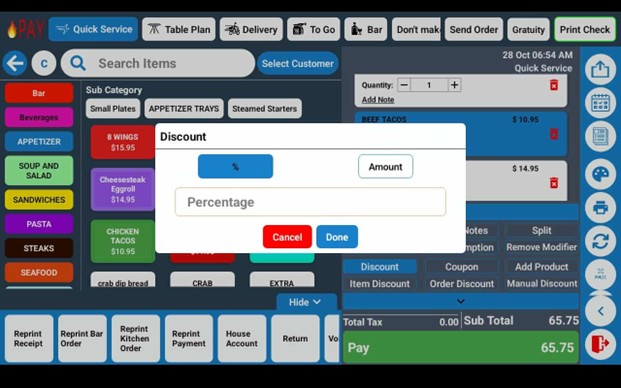
3. The applied discount will appear in the item notes section for clarity.
Preset Item Discounts:
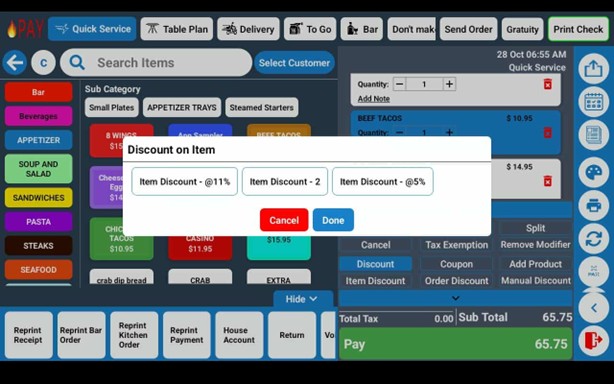
You can configure preset item discounts from the FirePAY Back Office (e.g., Happy Hour 10%, Employee Discount 20%).
Once programmed, simply select Item Discount on the POS screen to apply these presets instantly.
Tip: Preset discounts are useful for consistent promotions like happy hours, daily specials, or staff meals.
Order Discount
Order Discounts apply savings to the entire order or ticket.
To apply an Order Discount:
1. Tap Order Discount on the function menu.
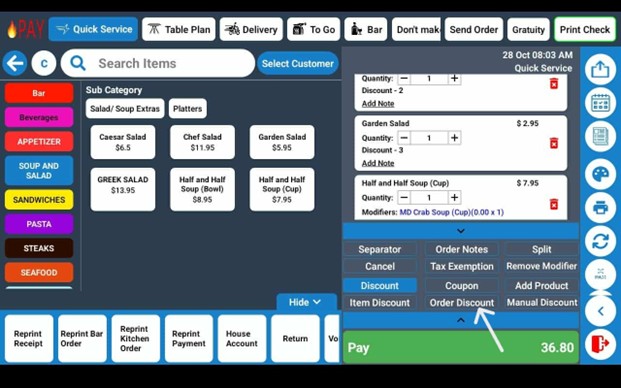
2. Choose to discount by percentage or dollar amount.
3. The discount will automatically apply to the full subtotal.
Manual Discount
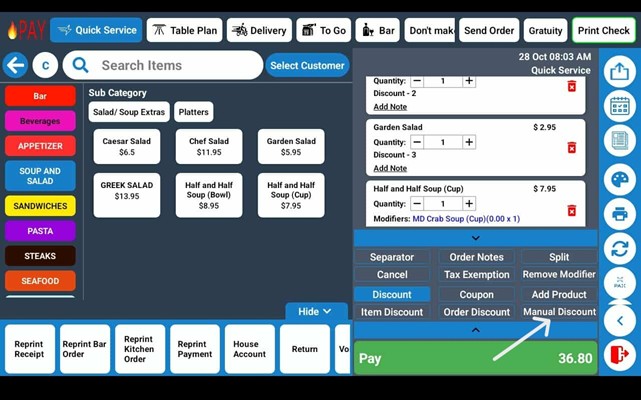
Manual Discounts allow managers or authorized staff to apply custom promotions not included in preset discount options.
This is ideal for handling unique situations — such as guest recoveries, manager approvals, or one-time promotional events.
Benefits of FirePAY POS Discount Features
-
Flexible Promotions: Apply item-level or order-level discounts instantly.
-
Custom & Preset Options: Manage both on-the-fly and pre-programmed offers.
-
Accurate Reporting: All discounts are tracked for reporting and auditing.
-
Improved Customer Experience: Quickly honor special pricing or loyalty perks.
-
Manager Controls: Limit manual discounts to authorized staff for security.
With FirePAY Restaurant POS, managing discounts is simple, fast, and fully integrated with your restaurant’s pricing and reporting system — ensuring accuracy at every transaction.