
In a busy restaurant, it’s common for servers or managers to transfer tables or orders—for example, when staff change shifts or sections are reassigned. With FirePAY Restaurant POS, this process is simple, secure, and fully trackable through manager permissions.
This guide explains how to transfer a table between servers and how to move all open orders using the Transfer Orders feature.
Step-by-Step: How to Transfer a Table
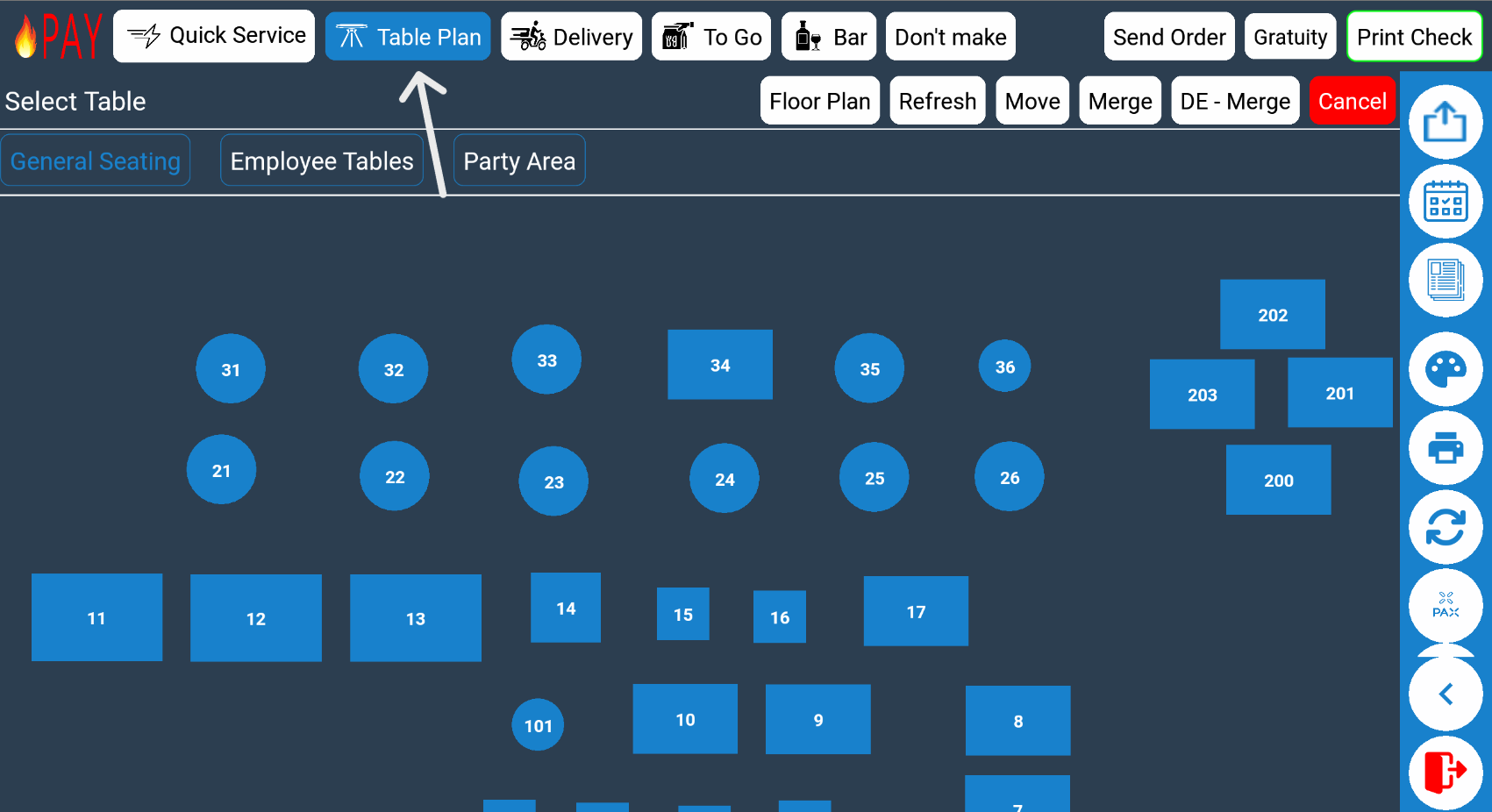
Step 1: Select “Table Plan”
From the FirePAY POS Home Screen, select
Table Plan
This opens the visual layout of your dining area, showing all active tables and orders.
Step 2: Select “Move”
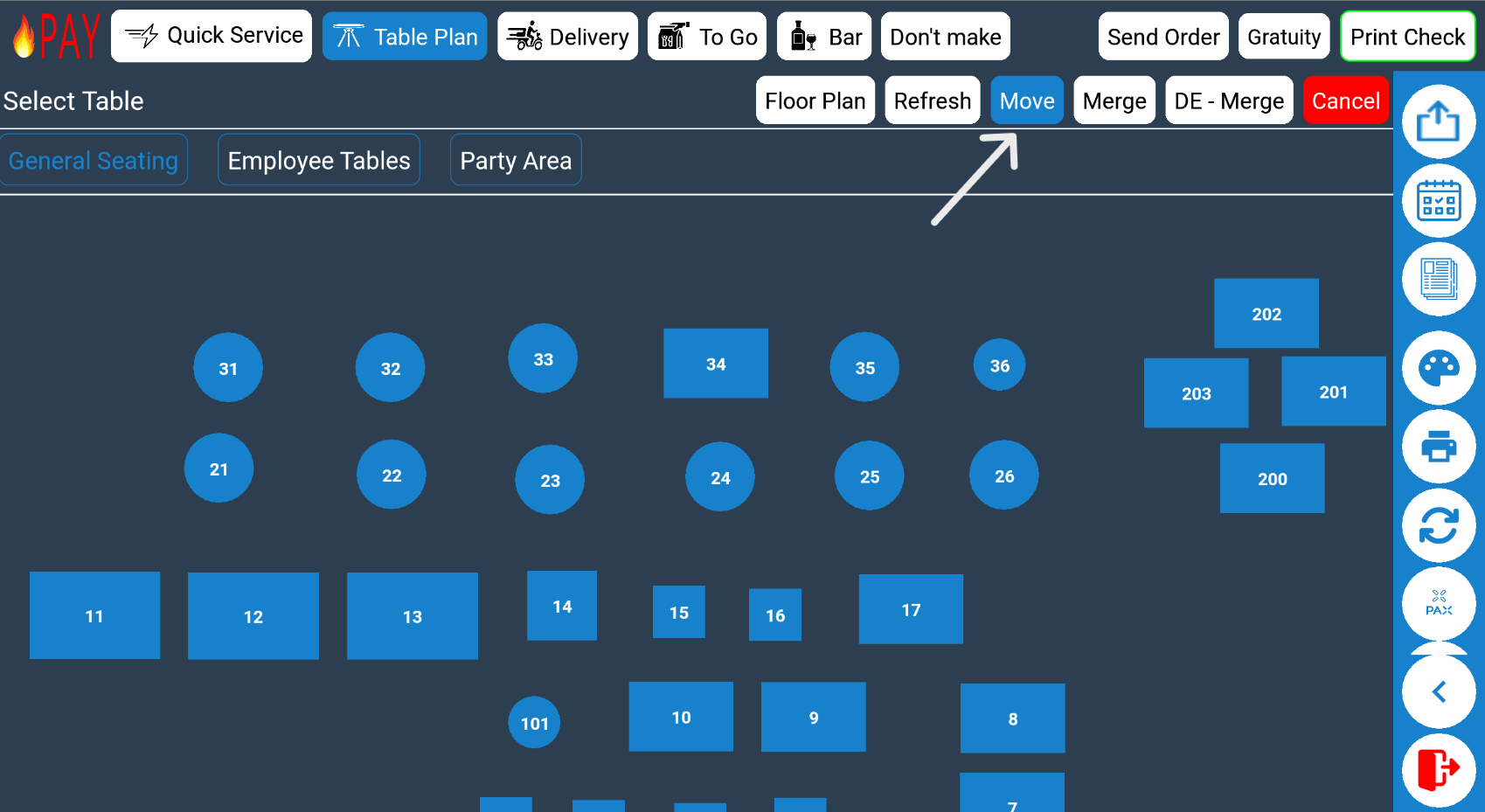
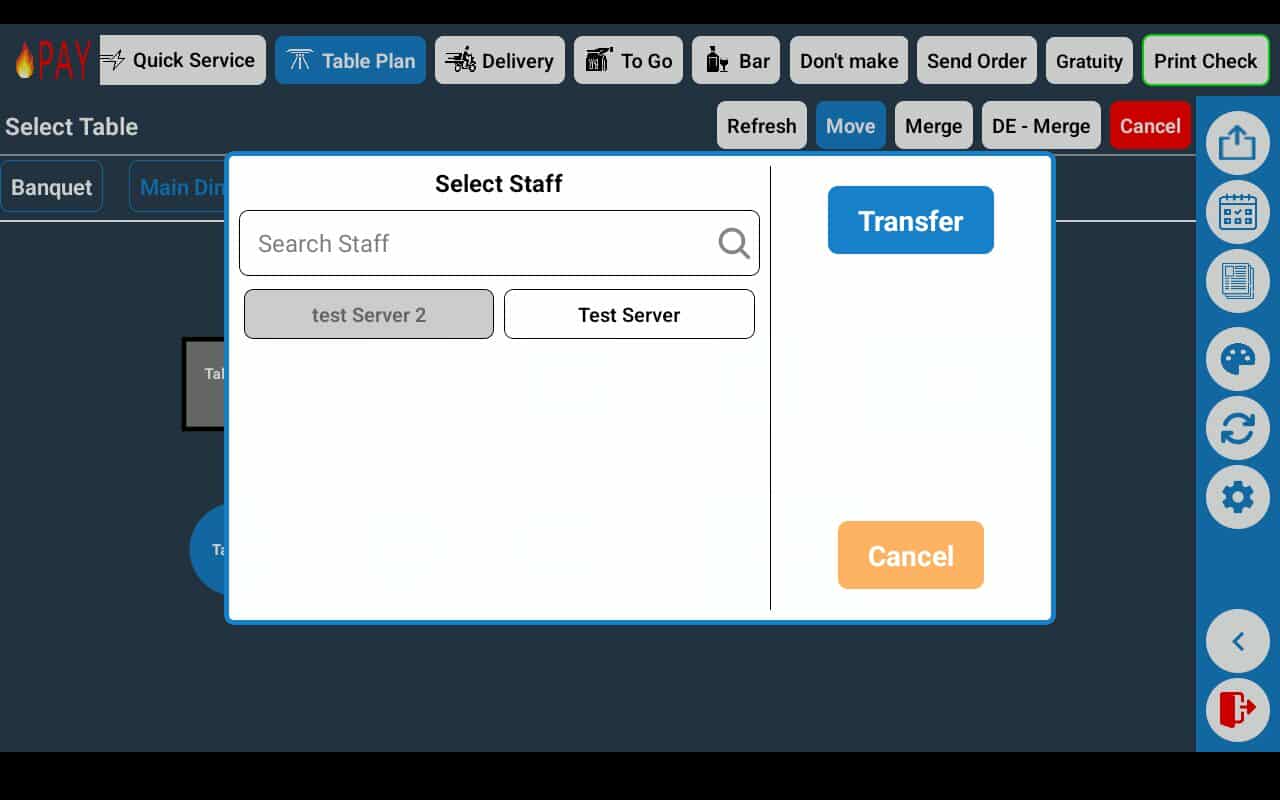
Tap the Move button to activate table transfer mode.
This allows you to choose which table you want to reassign.
Step 3: Choose the Table to Move
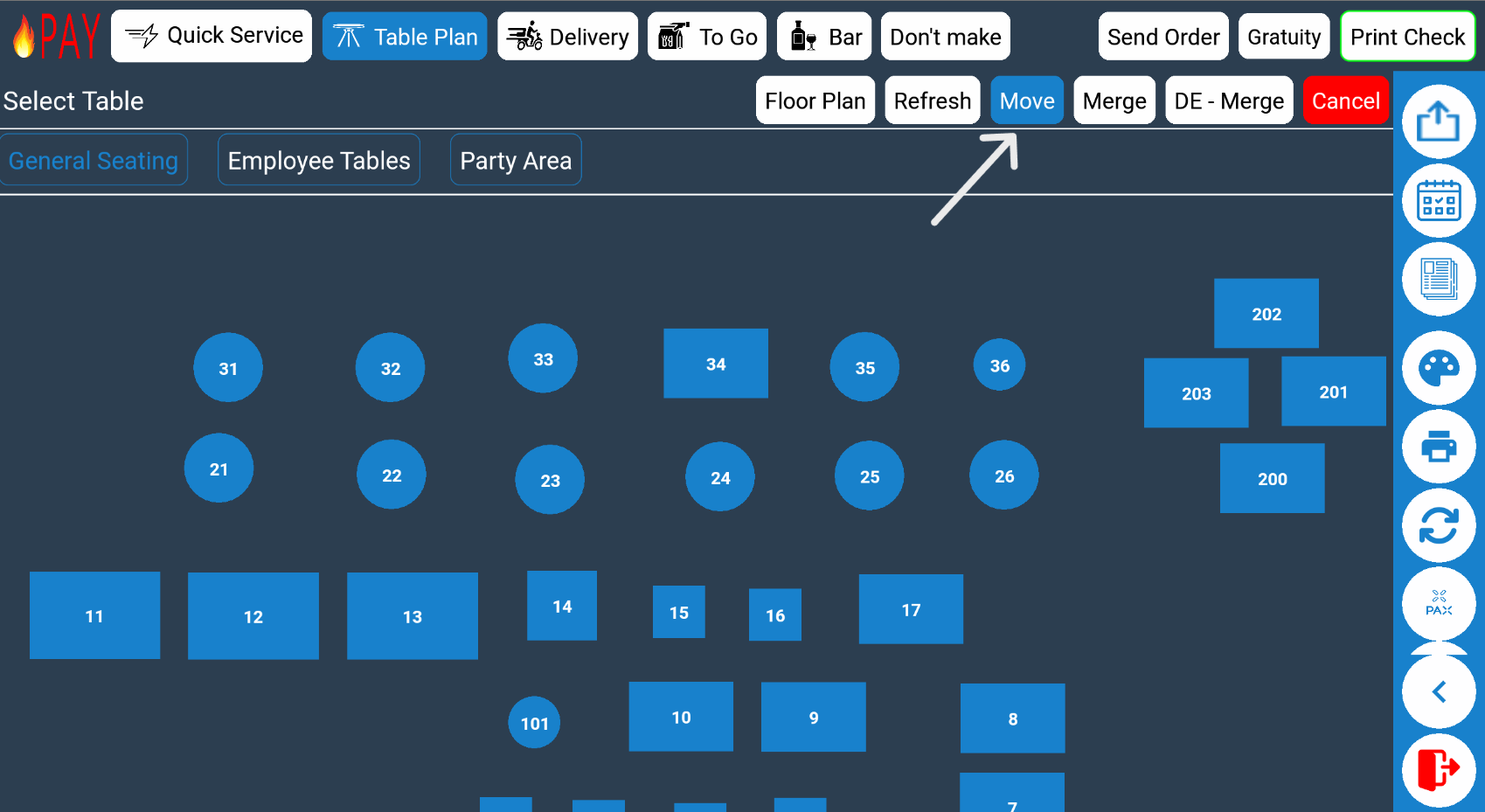
Select the table you want to transfer from the current server.
All associated orders, tickets, and tabs for that table will be included in the move.
Step 4: Manager Permission Required
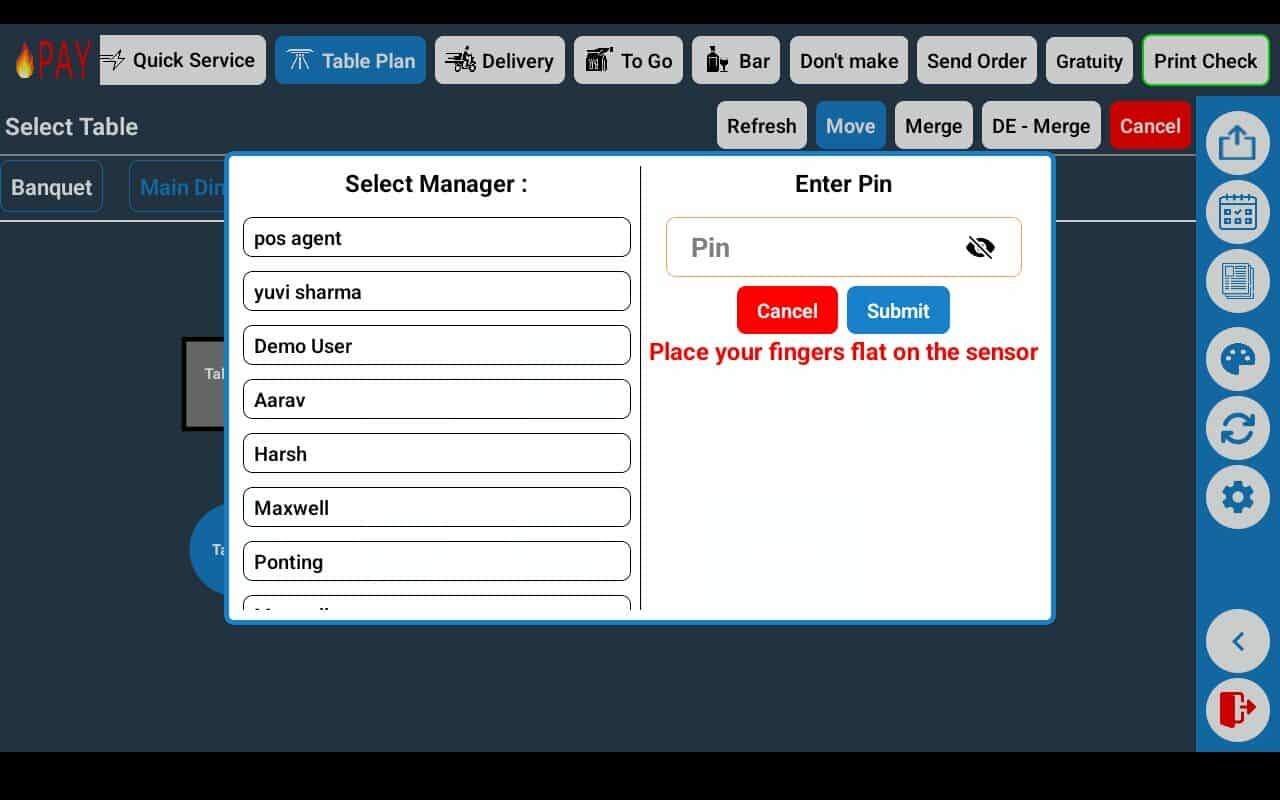
Before the transfer is finalized, manager approval is required.
This ensures secure table transfers and prevents accidental or unauthorized changes.
Tip: Managers can control who has transfer access from the FirePAY Back Office settings for greater security and accountability.
Step 5: Select the New Server
Once approved, choose the available server you want to transfer the table to.
The table—and all its active orders—will now appear under that server’s open tickets.
Transferring All Orders Between Servers
To move all open orders from one server to another (for example, when ending a shift or reassigning sections):
-
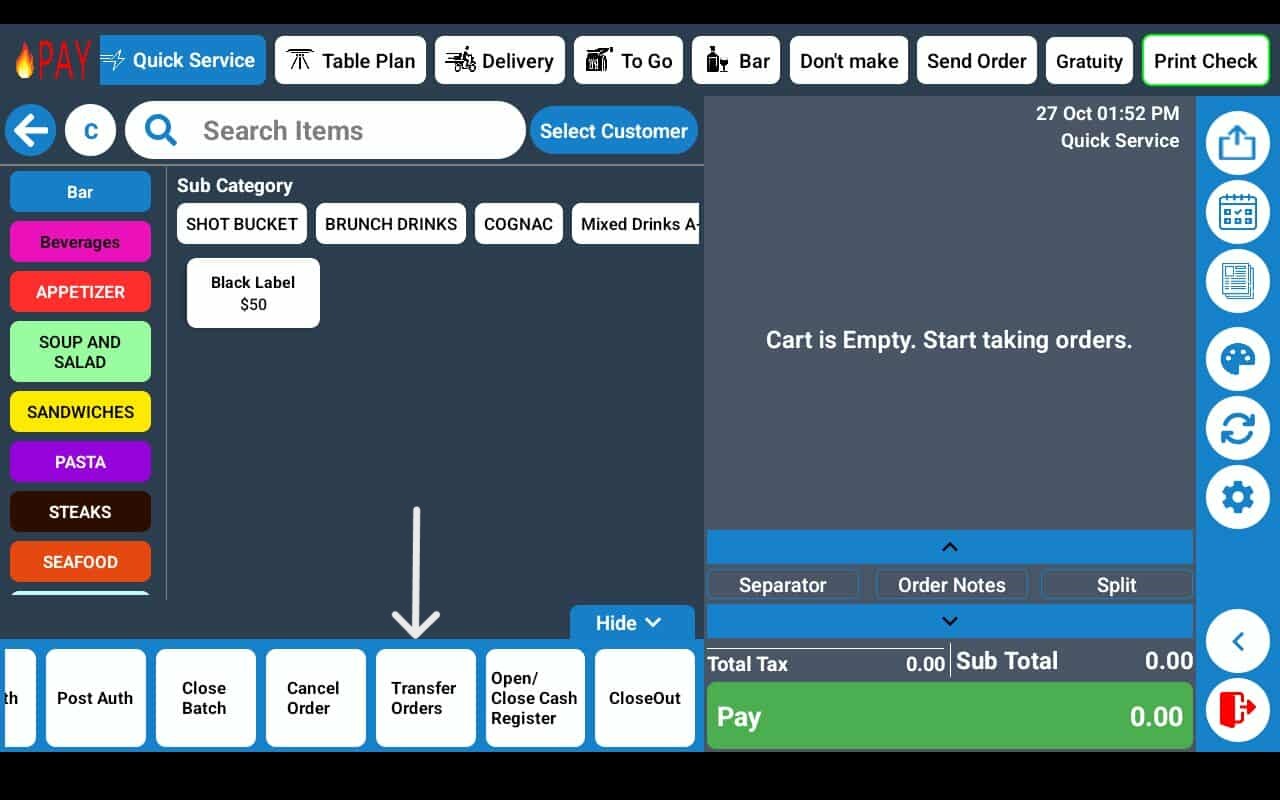
Use the ➡️ Transfer Orders feature, located in the main Quick Buttons Menu on the home screen.
-
This instantly reassigns every open order from one staff member to another, saving time and ensuring accurate reporting.
Benefits of Using Table Transfer in FirePAY Restaurant POS
-
Faster Table Reassignment: Move tables or orders in just a few taps.
-
Improved Shift Management: Reassign sections seamlessly during shift changes.
-
Secure Access: Manager permissions ensure accountability and data protection.
-
Accurate Reporting: Maintains transaction and tip data for both servers.
-
Better Team Coordination: Keeps operations smooth during busy service hours.
With FirePAY Restaurant POS, transferring tables or entire orders is quick, secure, and ideal for high-volume restaurants where efficiency matters most.